AI Studio Overview
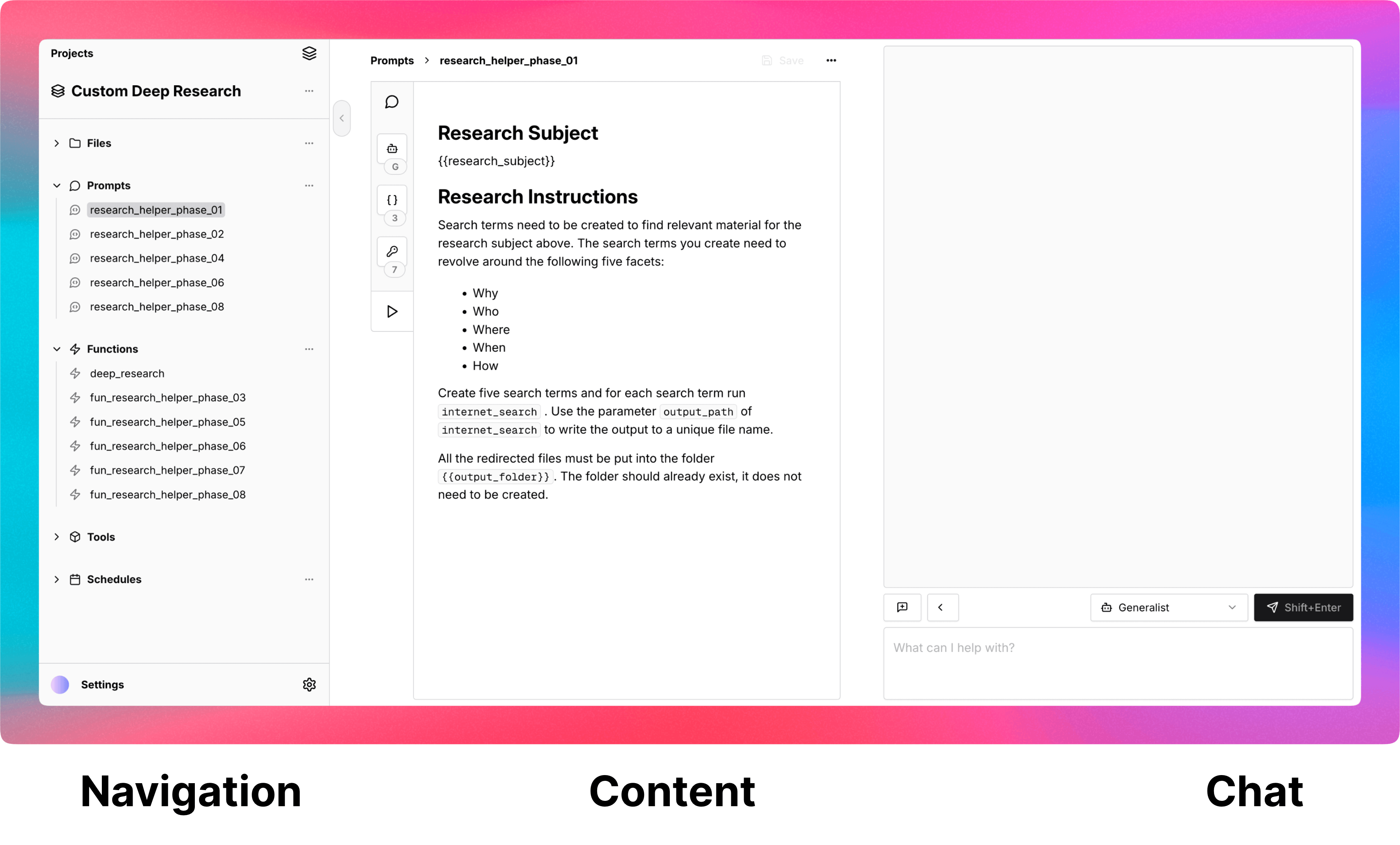
The studio has three main parts. Navigation to find and organize the resources you create and upload, Content for editing or viewing the resources, and Chat to work with your AI agents directly in Turingpaper rather than needing to switch to another application.
Navigation
Like the name suggest the left side navigation is there to find and open the many types of resources that you can create or upload into Turingpaper.
Projects
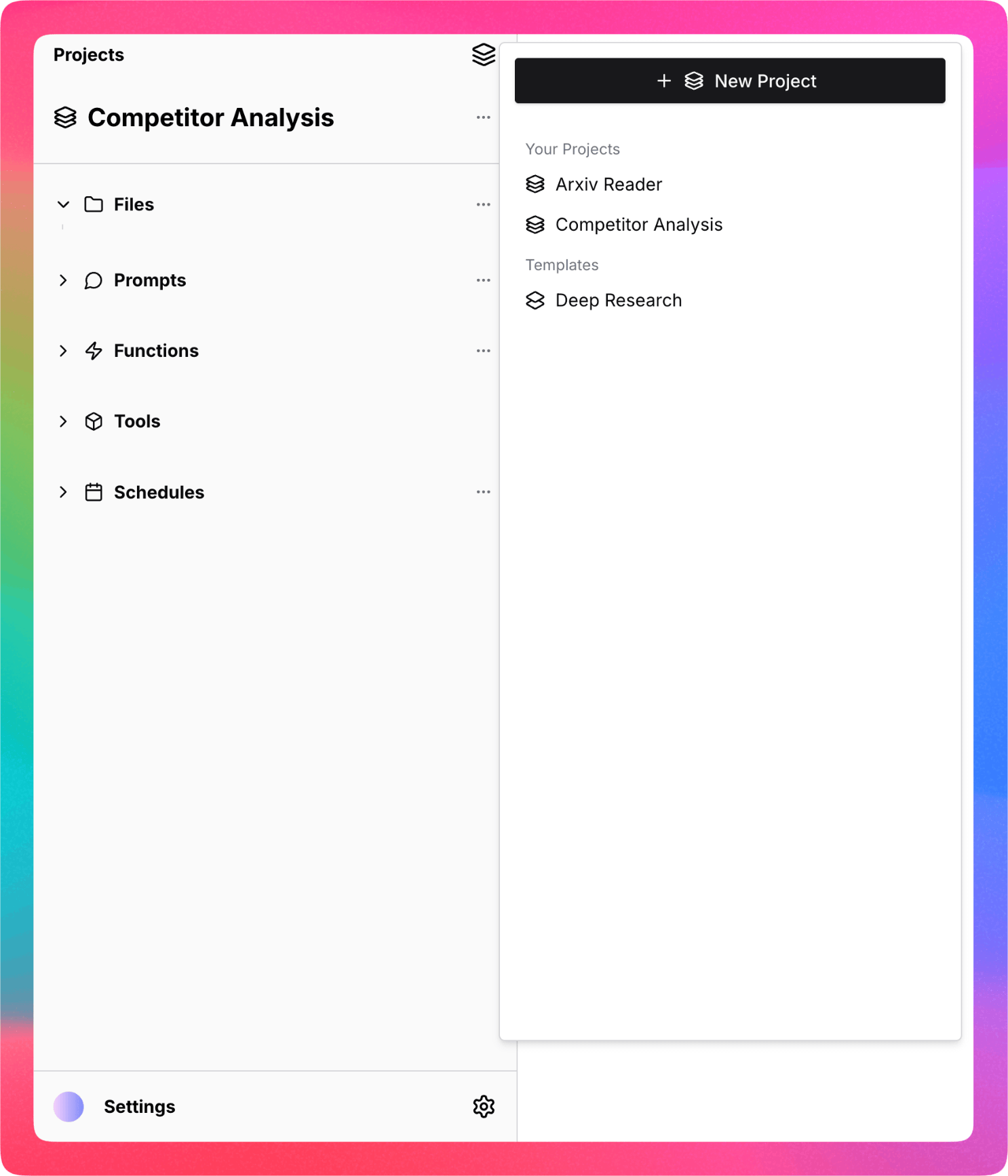
Everything in Turingpaper is organized into projects. Projects hold files, prompts, functions, tools, and schedules. Each project can be enabled to be a hosted MCP server with just one click.
Files
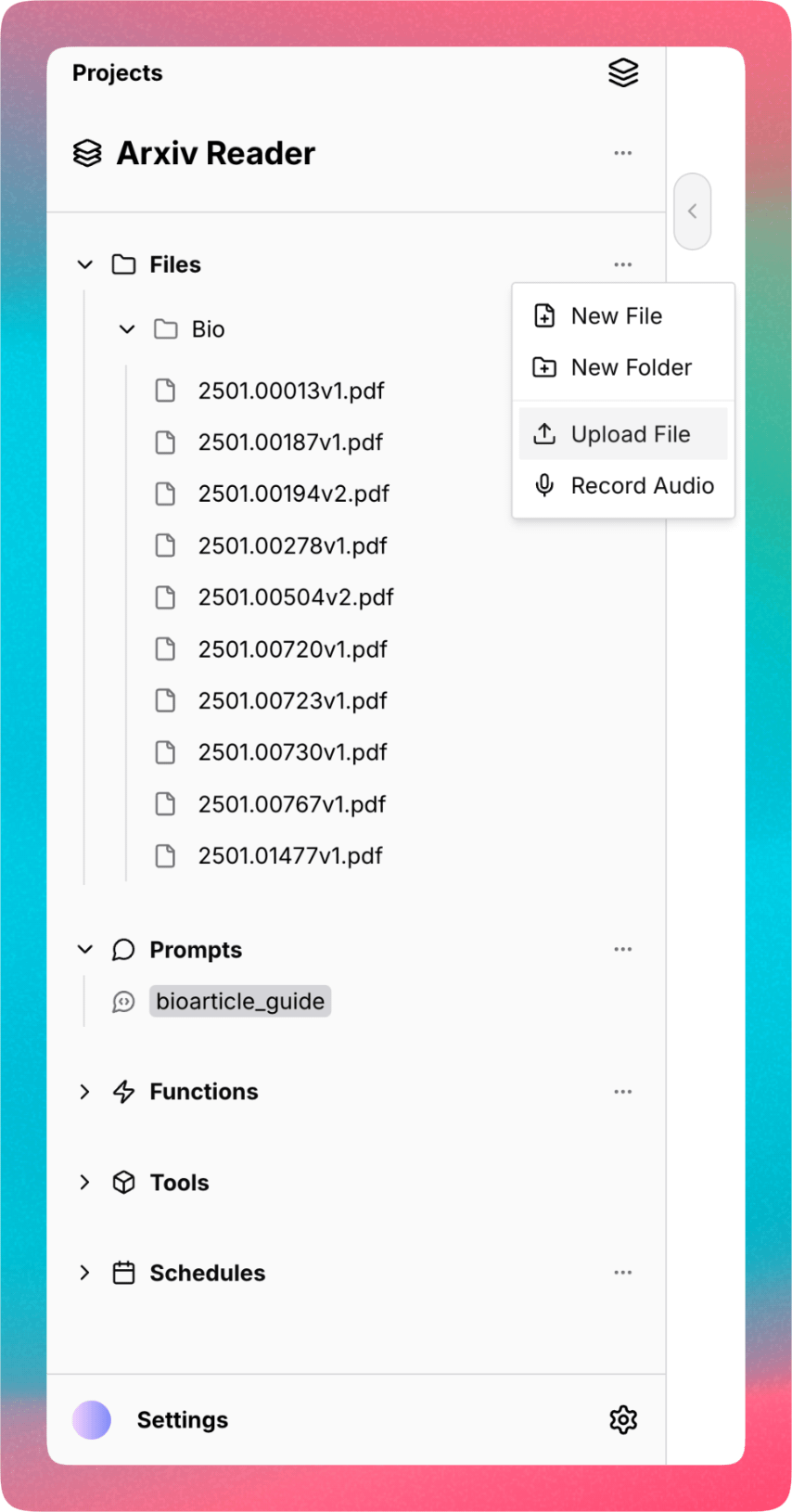
Turingpaper supports uploading existing files, creating and editing new text based files, or recording live audio.
The supported file formats are: .c, .cpp, .cs, .css, .csv, .docx, .flac,
.html, .java, .jpeg, .jpg, .js, .json, .m4a, .md, .mp3, .mp4, .mpeg,
.ogg, .pdf, .php, .png, .pptx, .py, .rb, .sh, .sql, .srt, .tex, .ts,
.txt, .wav, .webm, .xml.
For binary document files like .docx, .pptx, and .pdf, text is automatically
extracted and available to read by your agents using the tool file_read.
Audio files are also automatically transcribed into text and readable in the .srt
format using the same file_read tool.
Image files can be "seen" by agents using the tool image_see which takes as
an argument a text prompt of what to look for in the image.
Prompts
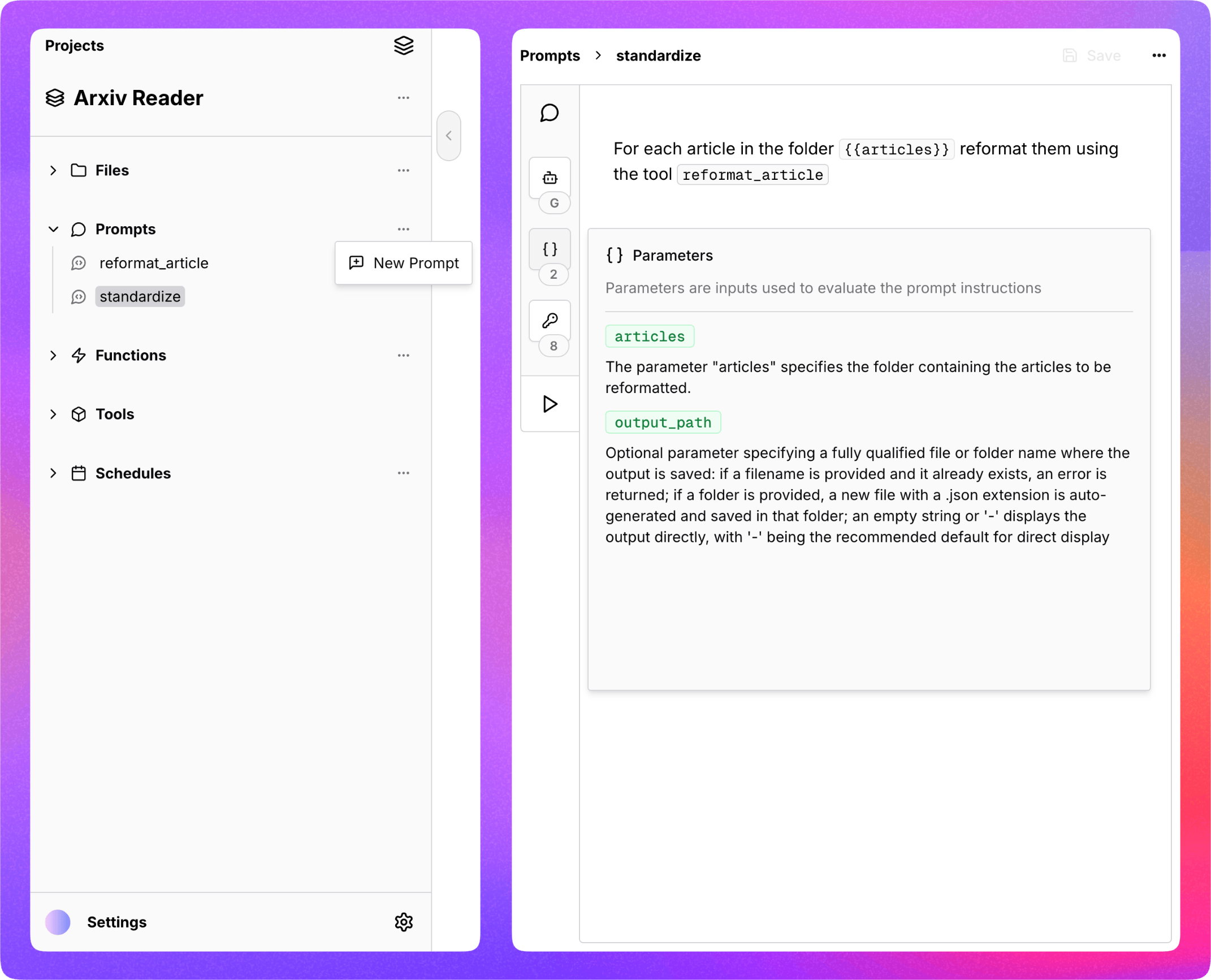
Turingpaper supports creating prompts, written in natural language (like English), which are instructions carried out by an AI agent.
Prompts are called prompts because they "prompt" the AI agents to do something, but in Turingpaper they are also automatically usable as tools by the AI agents. This makes prompts in Turingpaper more reusable and flexible, by allowing you to break down complex instructions into multiple smaller instruction that can refer to each other.
Each prompt is configured to be evaluated by a specific agent, defaulting to the built-in
Generalist agent. By configuring a prompt to use a specific agent the instructions in
the prompt can be carried out by the best model for the job, like o3 or gpt-4.1.
In addition to prompts, the agent that carries out the instructions of a prompt can also
have its own instructions.
Functions
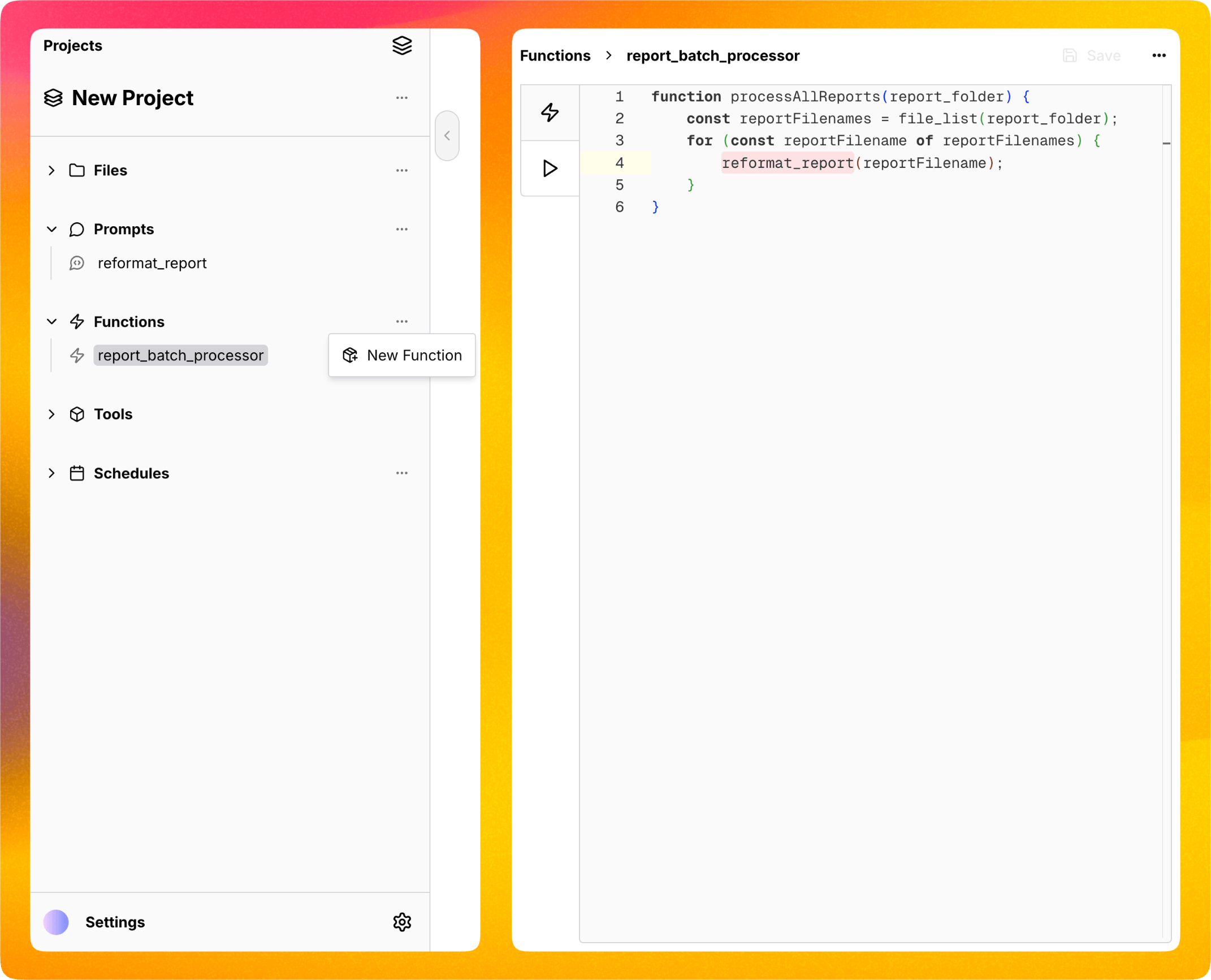
Turingpaper supports creating JavaScript functions which run in a restricted JavaScript
runtime and allow automations to use if-else logic, for-loops, and other JavaScript
builtin functions like Date formatting, and working with JSON.
Functions are most useful when there are many items to process, like a folder full of reports, or when creating a custom research agent that will need to crawl a lot of input files or pages.
Functions can call built-in tools, your prompts, and your prompts can call the functions you define.
Tools
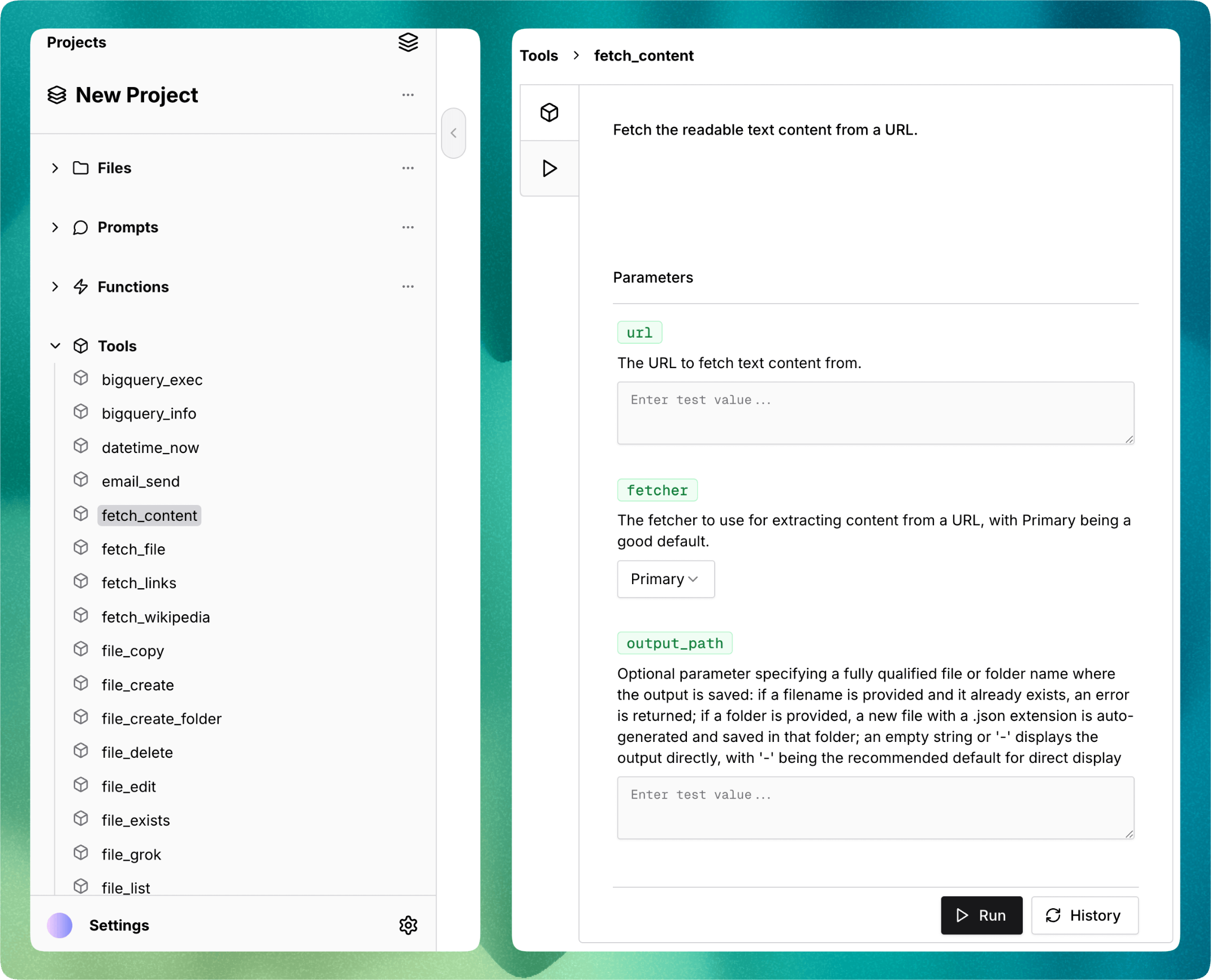
Turingpaper comes with many built-in tools for your AI agents to use. There are tools to manipulate files, work with content on the Internet, generate and edit images, work with SQL databases, and send you email notifications with attachments.
Schedules
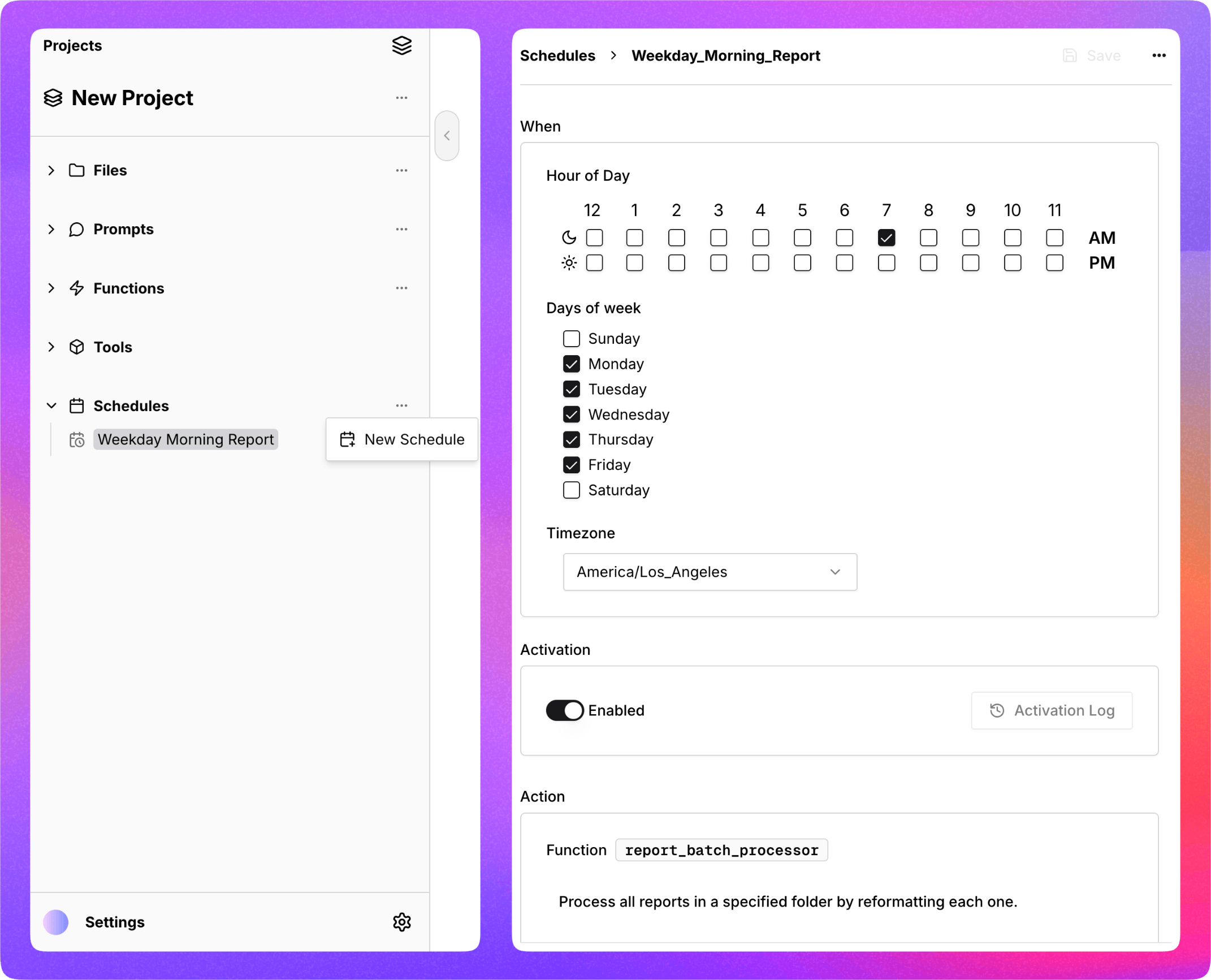
Turingpaper allows for scheduling any prompt or function to run in the background on a schedule. For example, you can instruct an agent to perform research online and compile a report each morning sent to your email as an attachment.
Settings
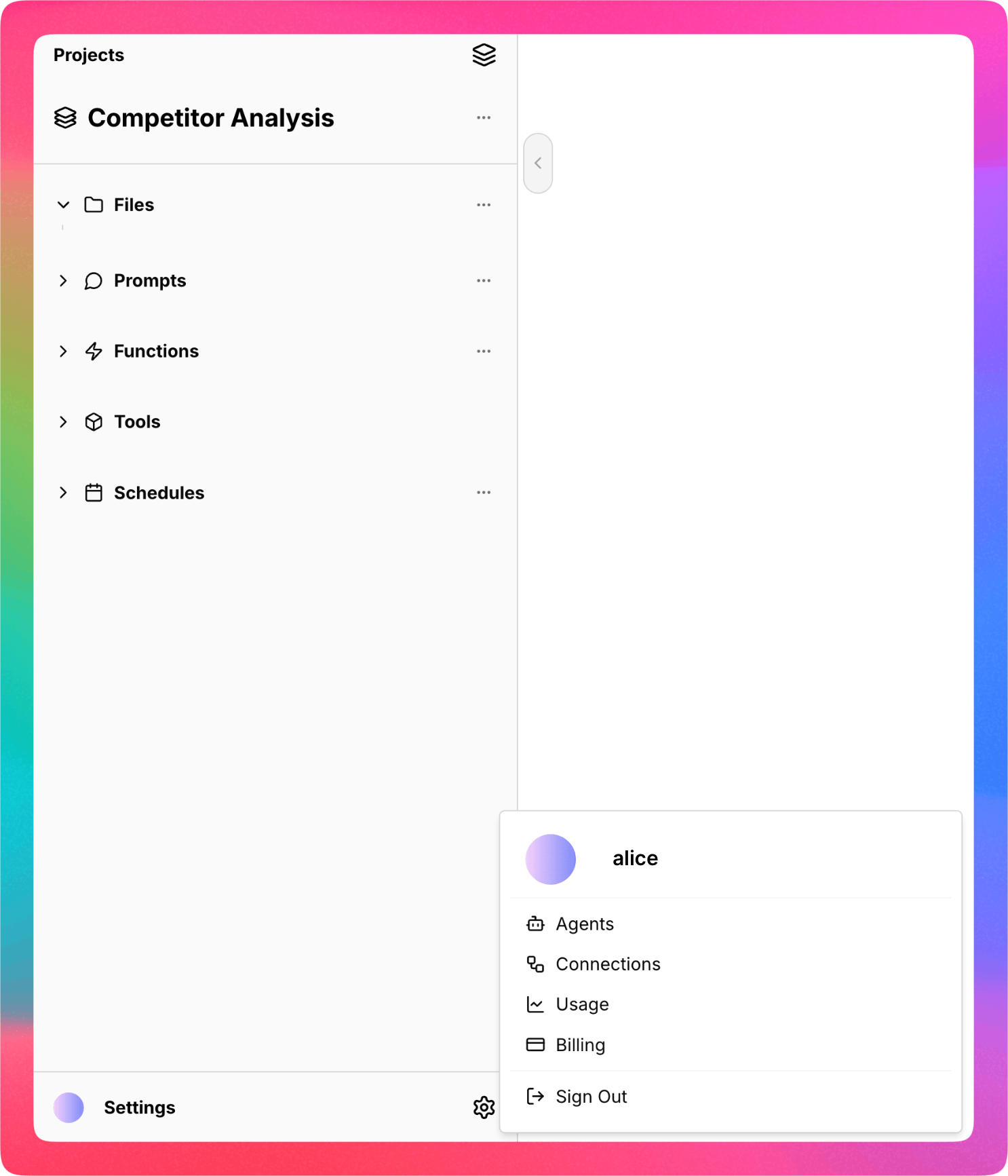
The Settings menu has Agents, Connections, Usage, and Billing:
- Agents: to create your own agents
- Connections: to create connections to external databases
- Usage: to see monthly usage reports
- Billing: to buy more credits and see current balance
Content
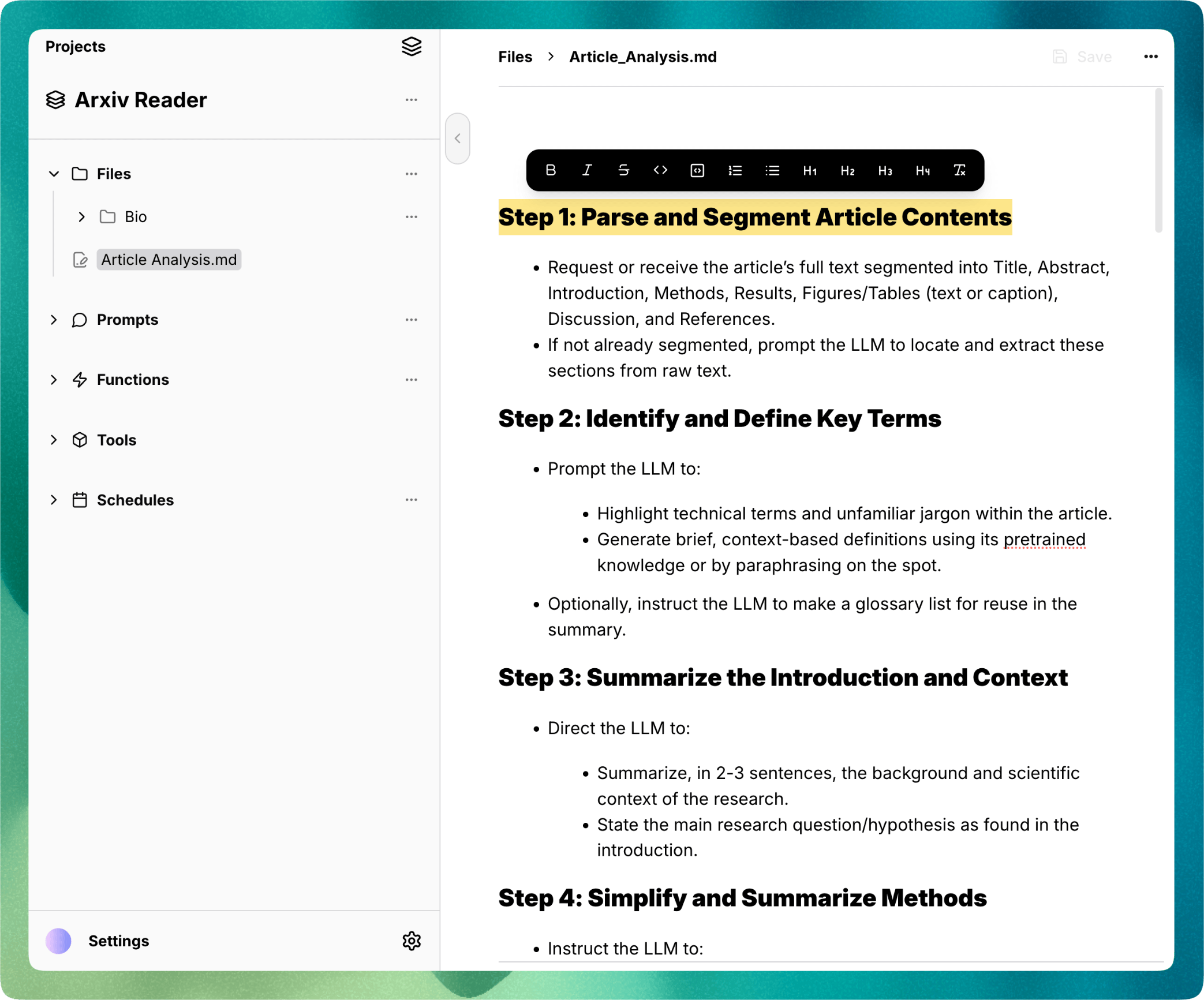
Turingpaper supports creating and editing text based files, such as Markdown or CSV, directly in the studio. Markdown files are edited in a WYSIWYG editor, all other text based content is edited in a text editor.
Binary content such as images, audio, and documents, in .pdf, .docx, and
.pptx format, can also be opened in the content panel.
Chat
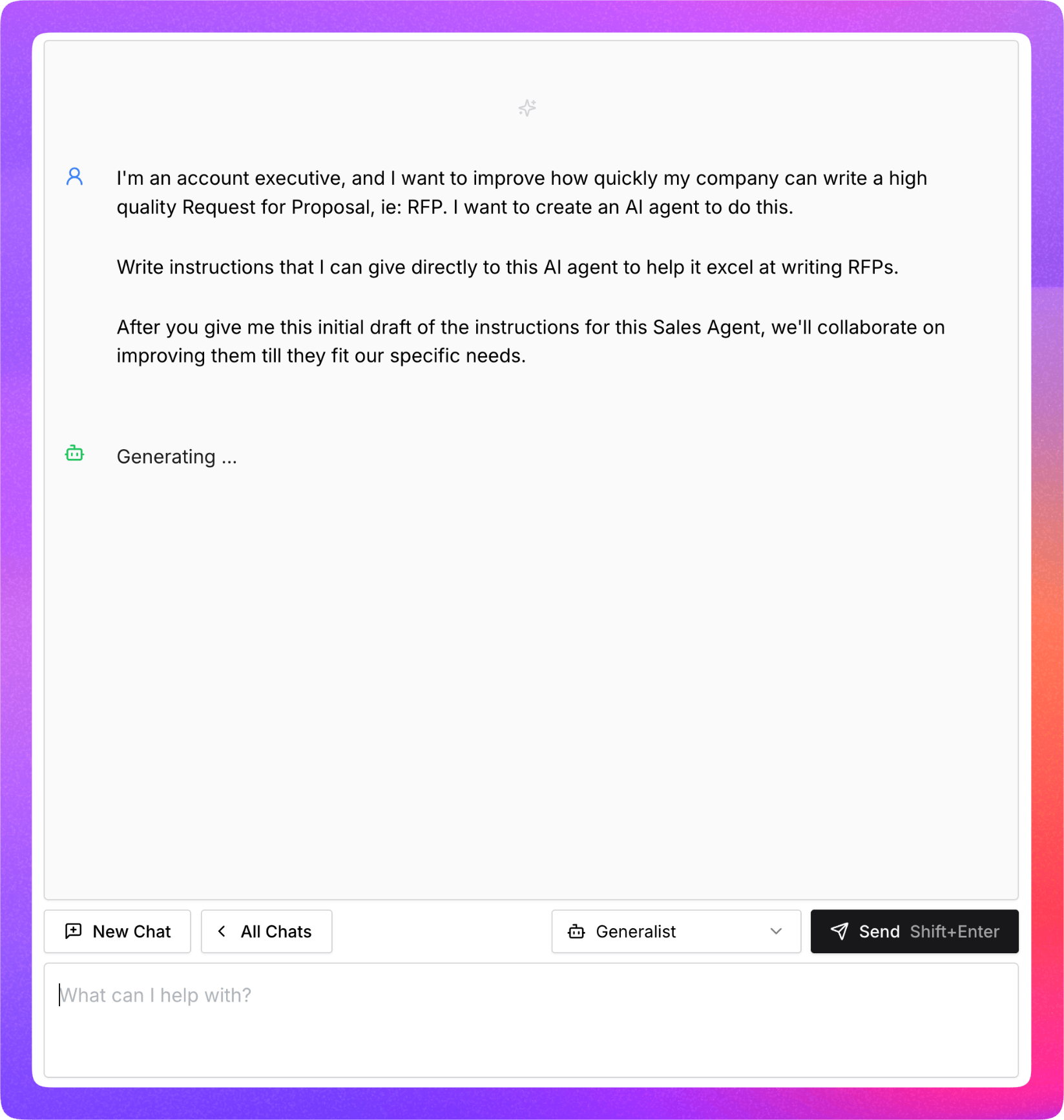
Turingpaper comes with its own chat interface, because using AI to build AI automations
is a standard practice. LLMs like gpt-4.1 and o3 are great at collaborating and
improving the instructions for the prompts you create in your automations. You can
also ask them to write and create the prompts for you with tools like prompt_create,
prompt_read, and prompt_edit.