ChatGPT MCP
ChatGPT Pro, Team, Enterprise or Edu
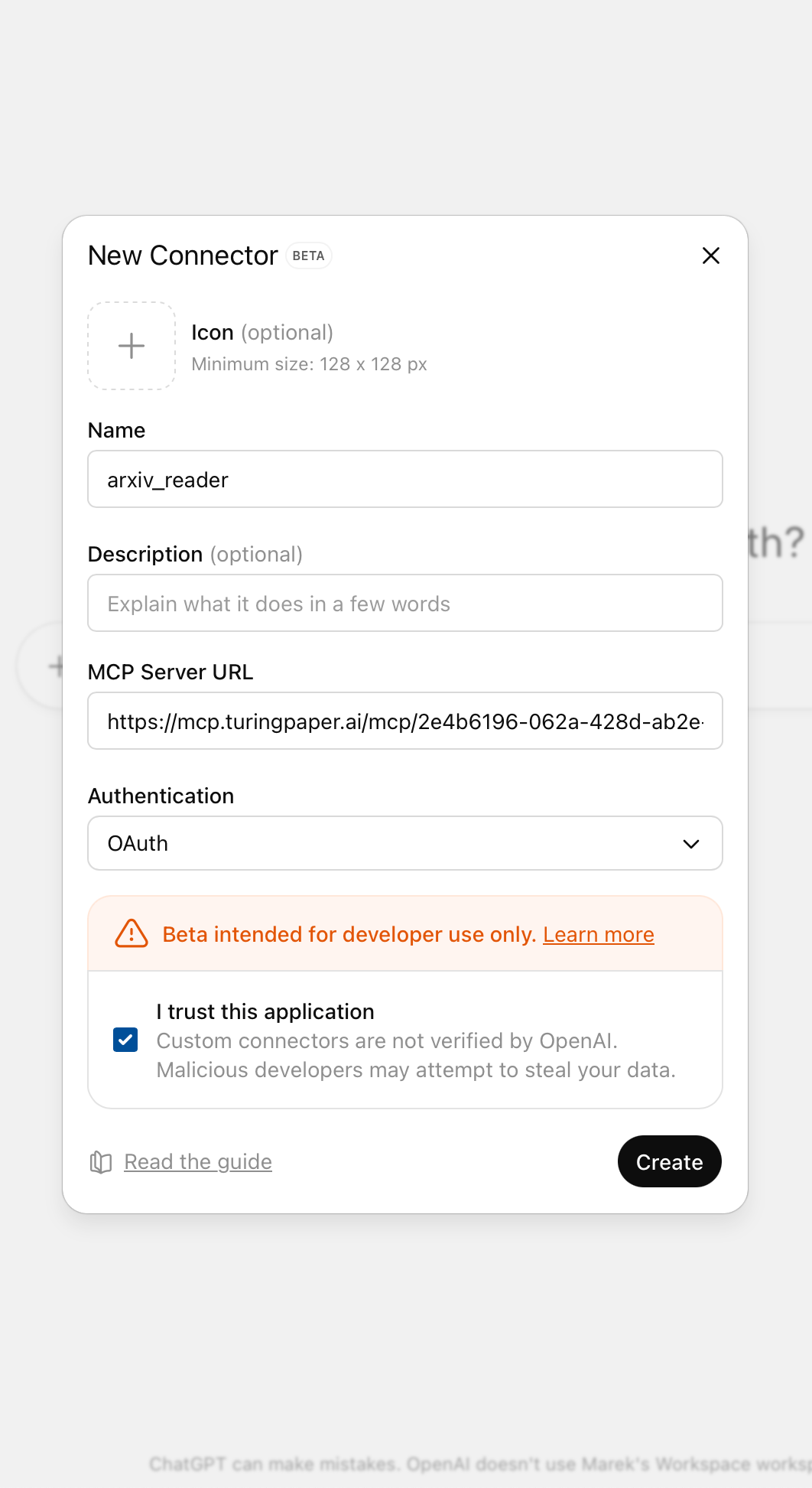
Open ChatGPT Pro, Team, Enterprise or Edu
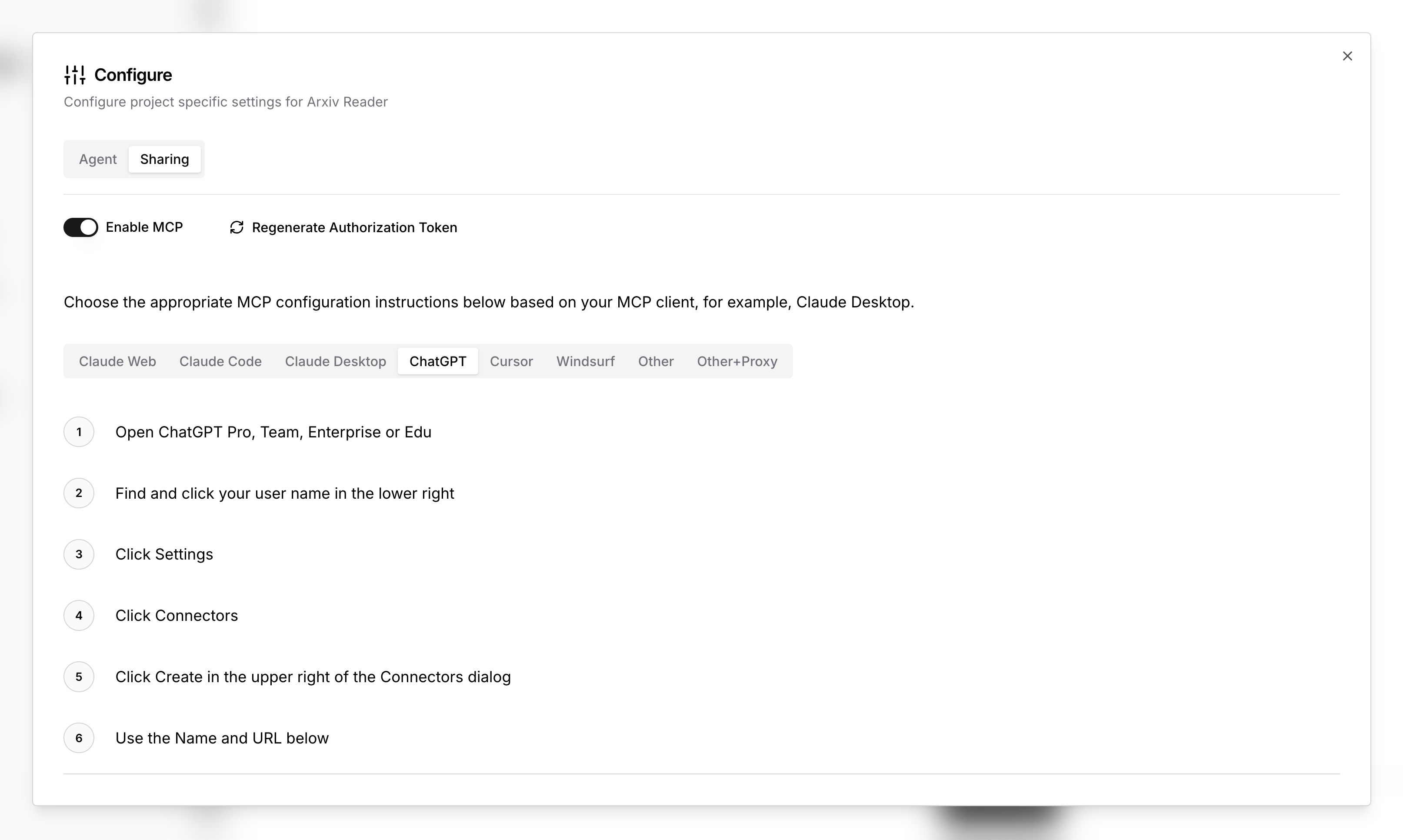
Find and click your user name in the lower right
Click Settings
Click Connectors
Click Create in the upper right of the Connectors dialog
Use the Name and URL below:
Name: <name>
Remote MCP server URL: https://mcp.turingpaper.ai/mcp/<id>Where do I find the ID and Name?
You can find these instructions and the full URL plus Name to use in the configuration panel of your project.
OpenAI Docs
For MCP documentation directly from OpenAI visit OpenAI ChatGPT Connectors Documentation