Routing
- Use when you need to route incoming input to different downstream prompts based on its content or attributes
- Useful for workflows requiring smart decision logic or dynamic branching
- Helps structure automations that must support multiple distinct cases, each requiring specialized handling
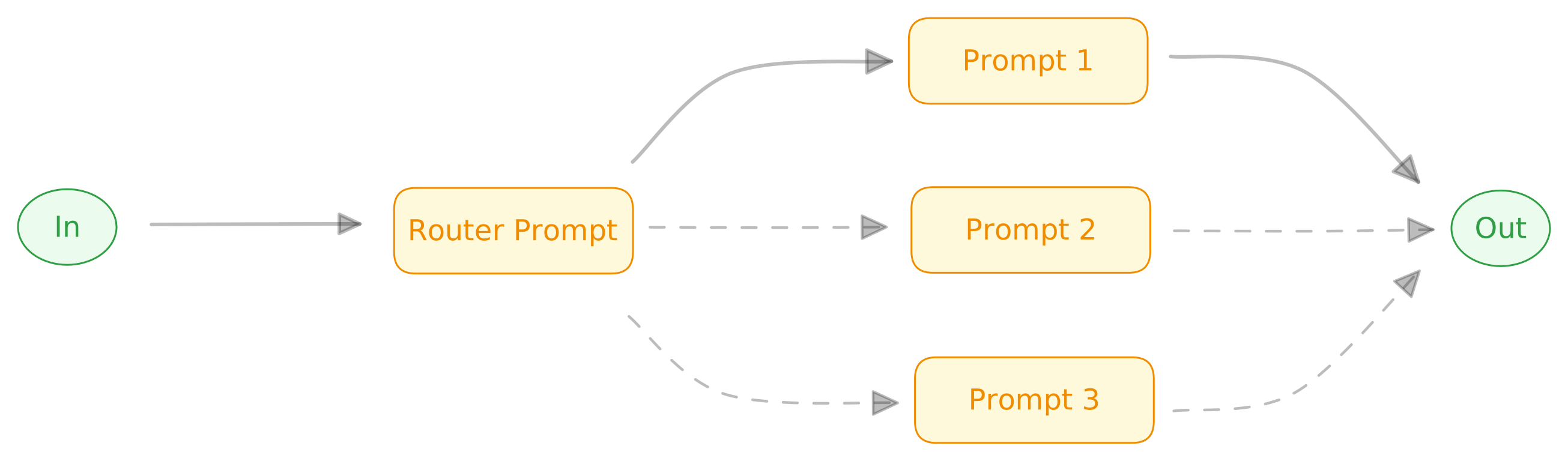
Example
- A support ticket is read from the database
- The “Router” prompt classifies the issue (e.g., Technical, Billing, Account)
- Based on classification, the workflow runs the corresponding specialized prompt
- Each prompt may draft a response or pull content using tools
- The workflow outputs a drafted support reply for review