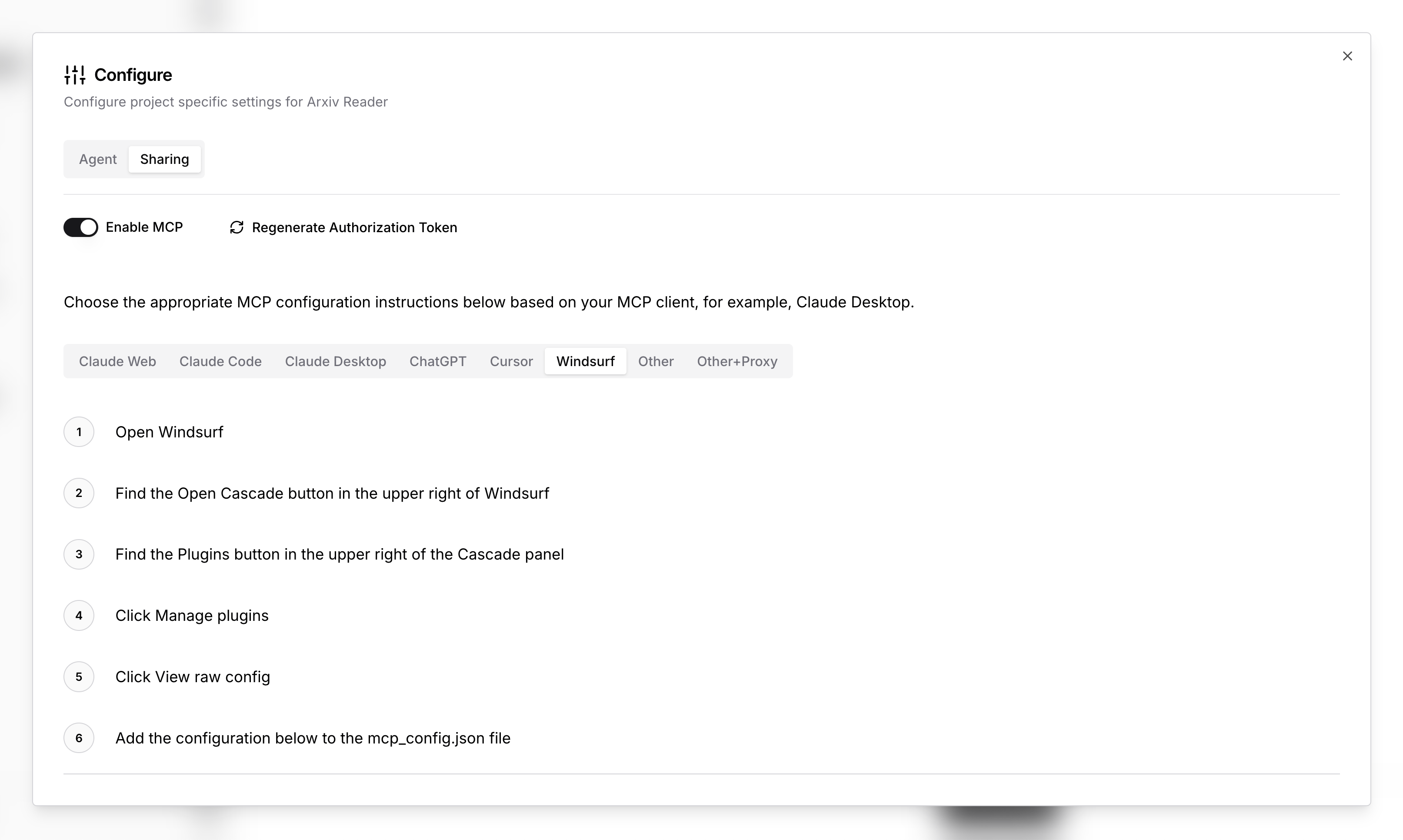
Windsurf MCP
Open Windsurf
Find the Open Cascade button in the upper right of Windsurf
Find the Plugins button in the upper right of the Cascade panel
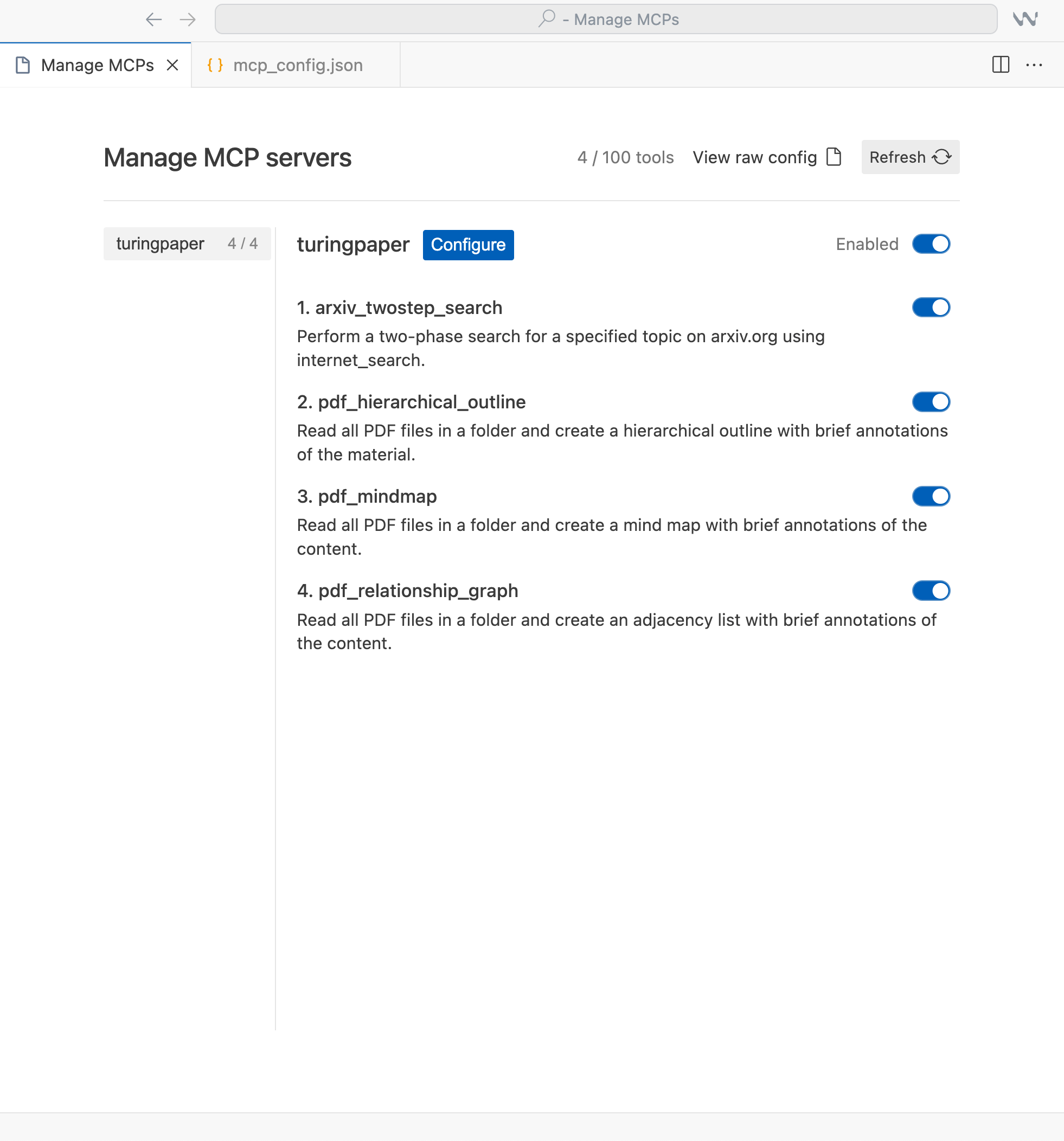
Click Manage plugins
Click View raw config
Add the configuration below to the mcp_config.json file
Example mcp_config.json
{
"mcpServers": {
"<name>": {
"command": "npx",
"args": [
"-y",
"mcp-remote",
"https:/mcp.turingpaper.ai/sse/<id>",
"--header",
"Authorization: Bearer <token>"
]
}
}
}Where do I find the ID, Name and Token?
You can find these instructions and the full URL, Name and Token to use in the configuration panel of your project.